

Compare prompt keyword effects before you generate.
bluprompts is a visual dictionary for AI image prompts. It shows how a keyword changes the same scenes across different image models, so people can choose what to try before they generate.
What I Built
A public visual dictionary and a private tool for generating, reviewing, and publishing entries.
Role
Creator, Product Designer &
AI-Assisted Developer
Timeline
2026–Present: the first major build took six weeks
Tools
Product development
Next.js · React · TypeScript · Node.js ·
Cloudflare R2 · Vercel
Generation workflows
OpenAI · Gemini · Stability AI · Midjourney · Adobe Firefly · Photoshop UXP
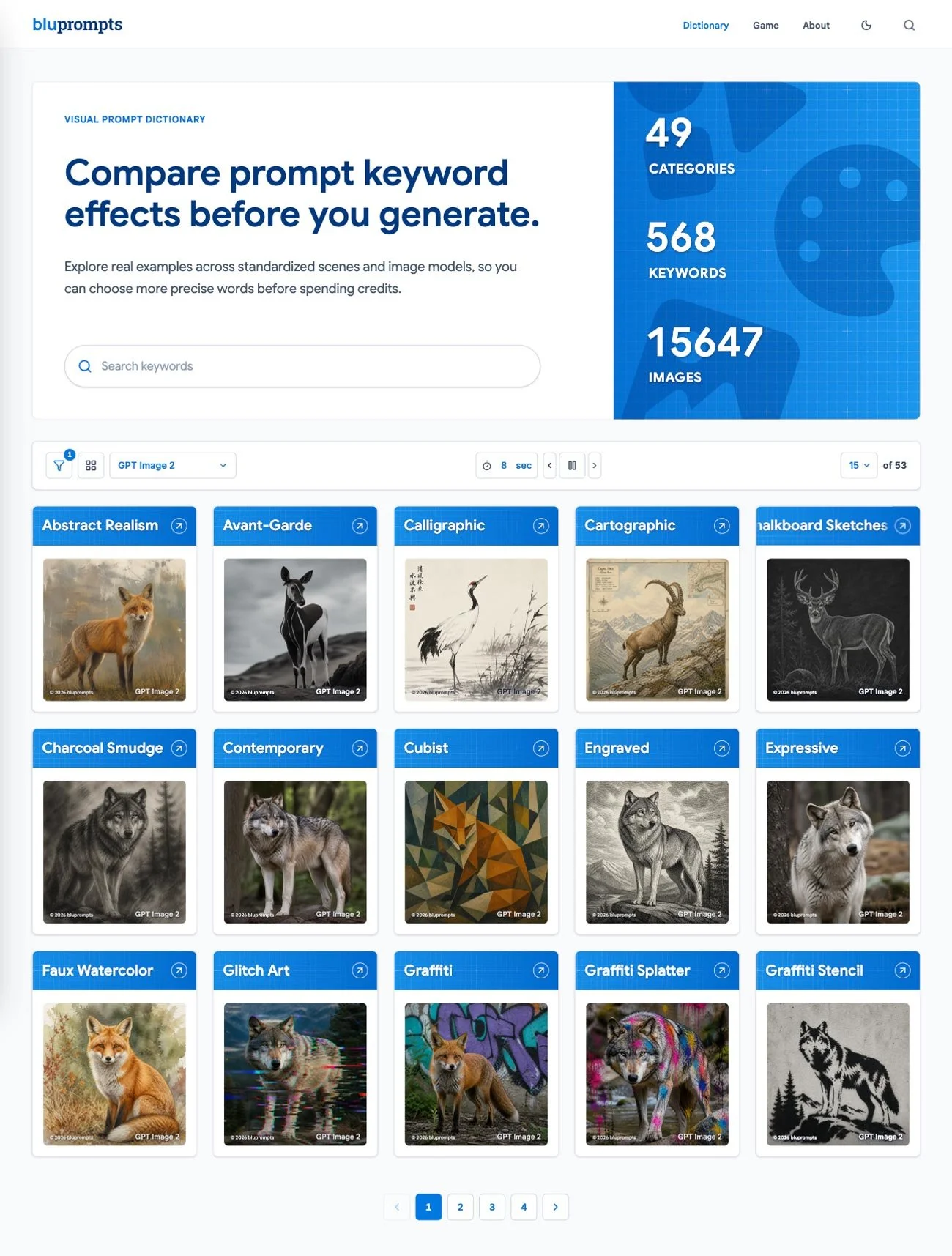
Current public release
568 keywords · 15,647 image results · 52 categories · 12 scenes · 5 model families
Summary
AI image tools are powerful, but the effect of a word can be hard to predict. One keyword can change composition, texture, lighting, mood, or style. I often knew what I wanted an image to look like, but finding the right prompt term could take several attempts.
bluprompts turns those words into visual evidence, helping you understand the effect before spending time and credits on generations. As an additional benefit, streamlined generating further reduces the energy and cooling water used by data centers.
Supporting the visual dictionary is a streamlined generation pipeline that helps me catalogue new terms, create images, review results, and finalize the details before they’re published.
Challenge & Goal
Challenge
People generating AI images often know the look they want but not the vocabulary that will produce it. Finding the right word can mean searching through scattered examples or running repeated generations. Those examples are difficult to learn from because the subject, prompt, and model often change at the same time.
Goal
My goal was to create a practical visual reference that isolates the effect of a keyword. By keeping the scene and base prompt consistent, creators can compare results, recognize useful effects, and decide which terms to use or avoid before generating.
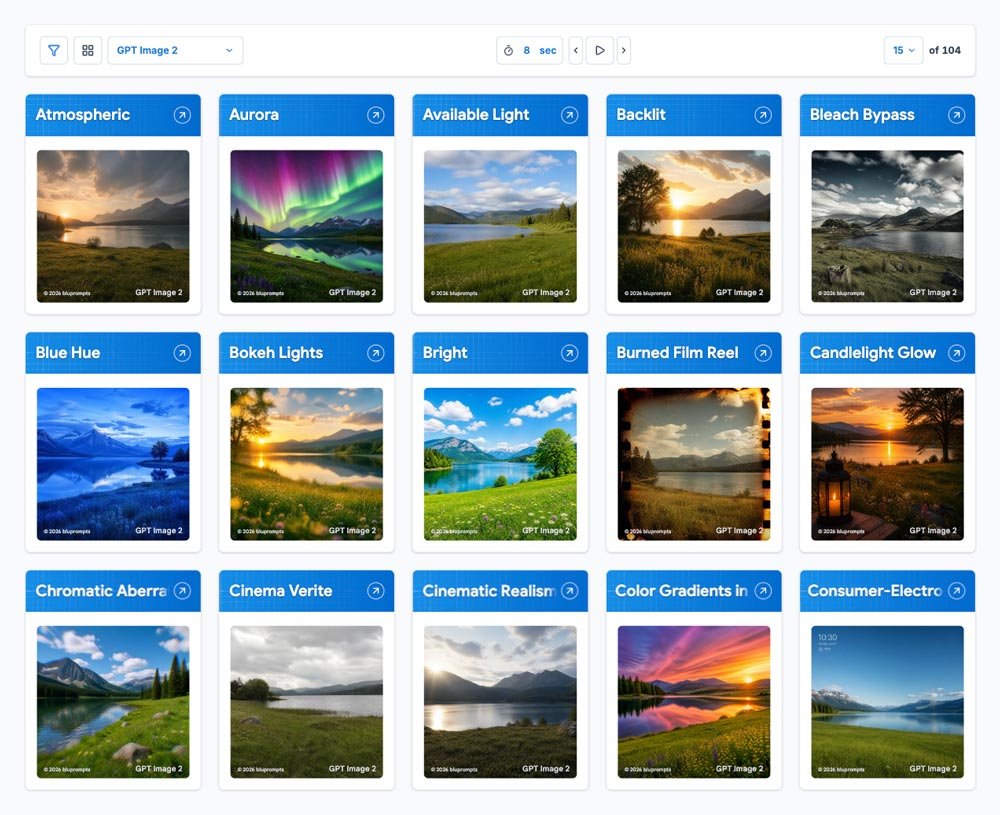
Solution: A Visual Comparison Framework
The core product vision was to organize results around repeatable basic scenes. These scenes could be reused across keywords and model versions, giving each result enough shared context to be meaningfully comparable.
It started as a few dozen keyword tables, each showing three scenes across several model versions. Today, the site includes a searchable dictionary, filters, dedicated keyword pages, side-by-side comparisons, and games.
The Compare page was the most challenging to design. Users can place keyword image grids next to each other, switch and compare multiple models, and compare to a baseline reference image. The mobile version had to show enough images to remain useful without becoming overwhelming.
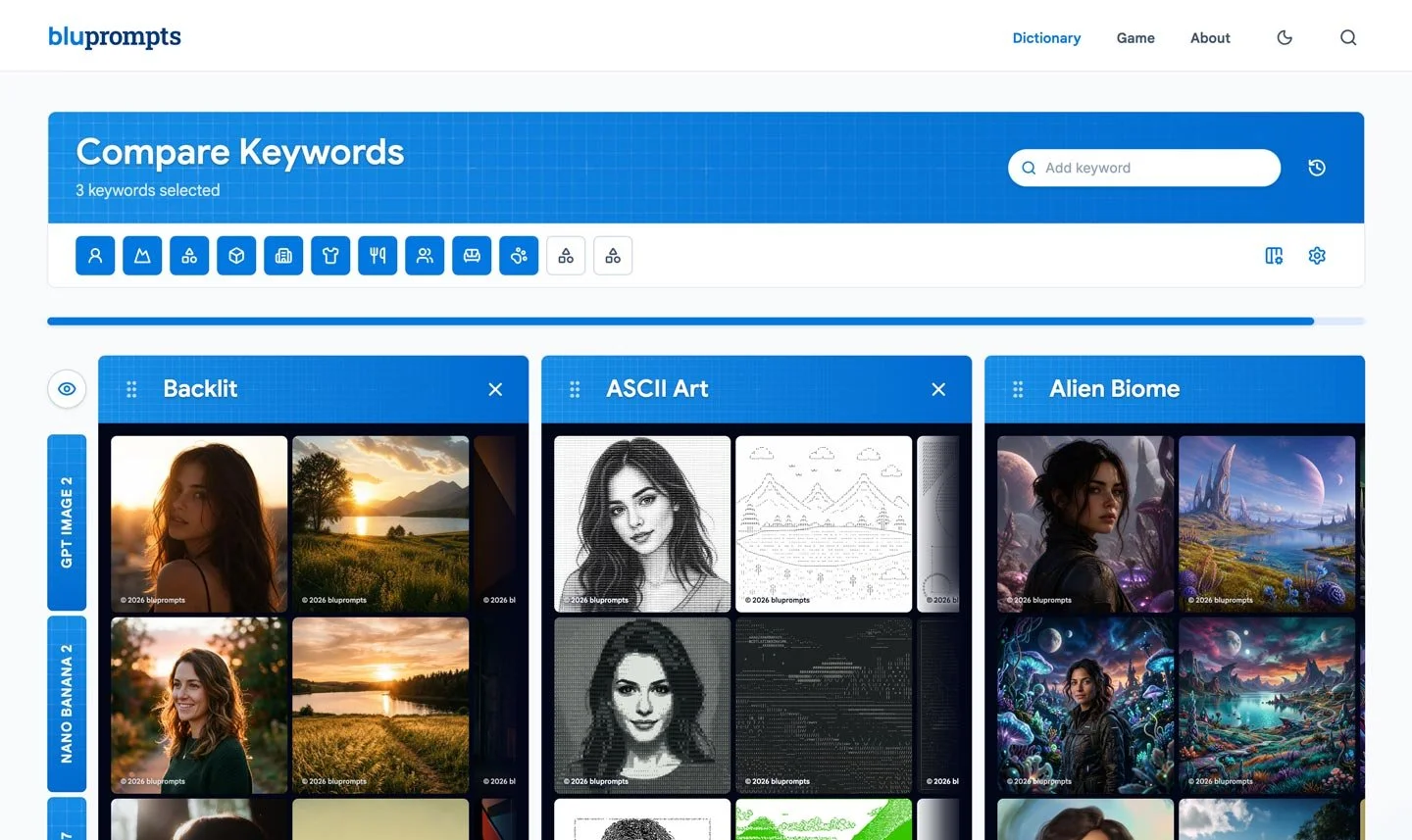
Three keywords compared across several model versions on desktop and mobile.
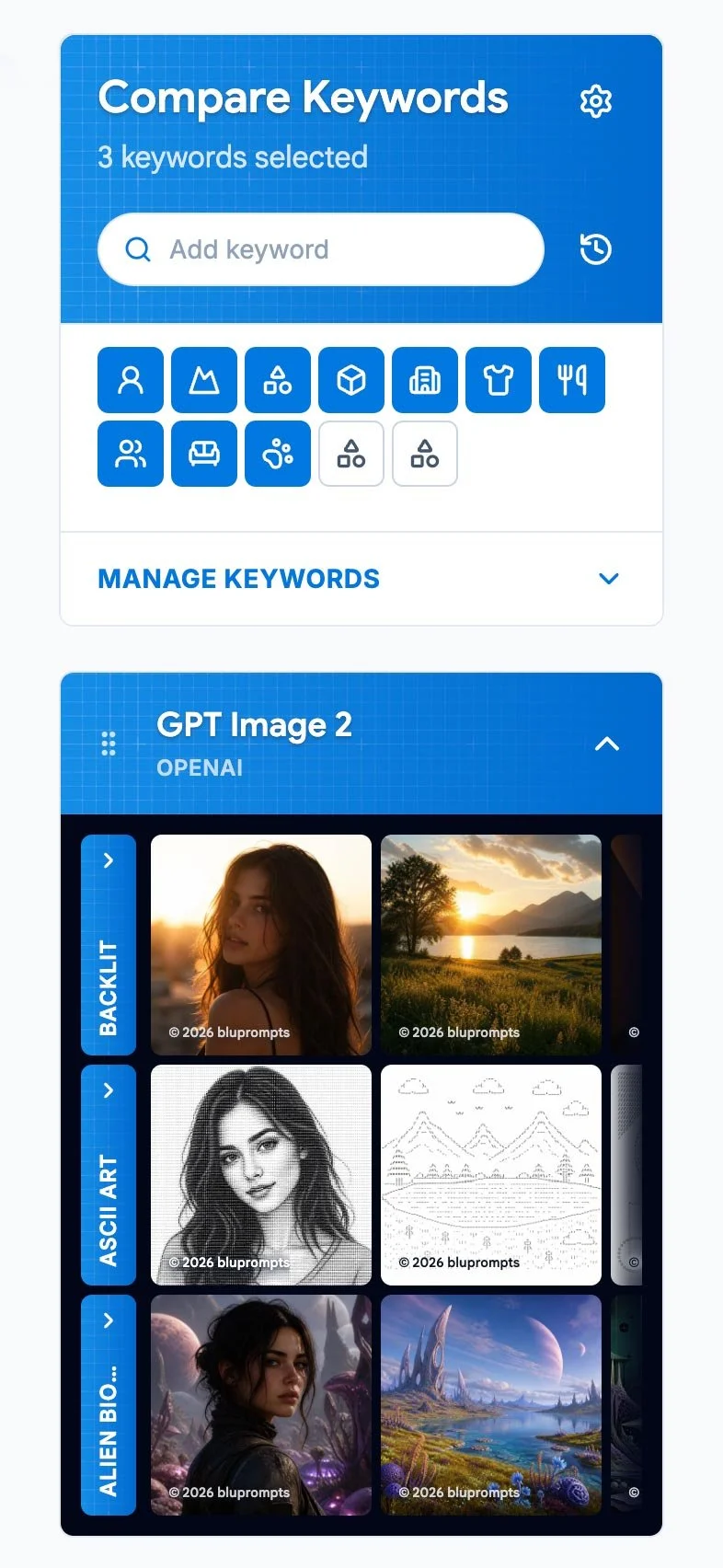
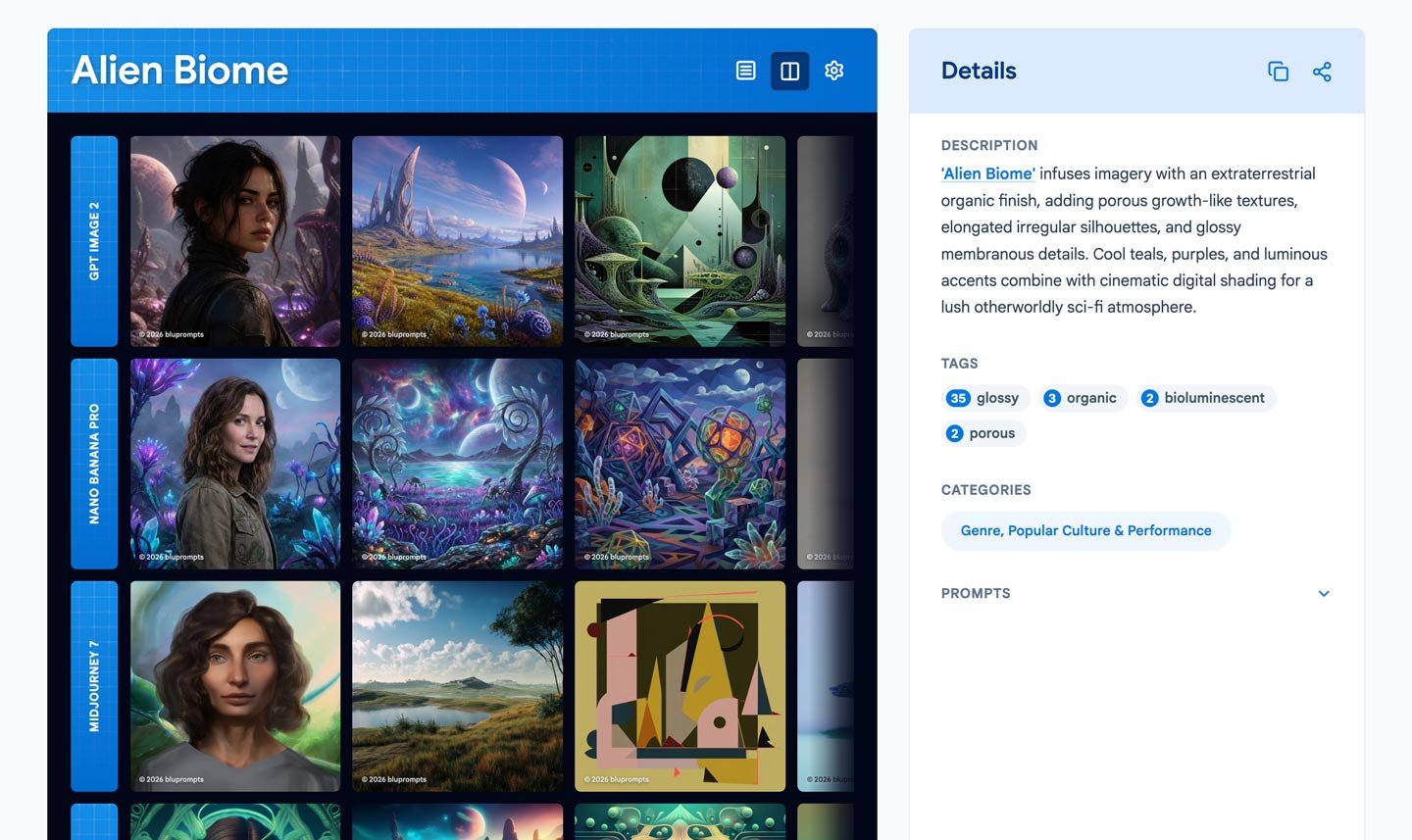
Keyword pages bring images, descriptions, tags, categories, related terms, and model results together in one place.
The Workflow Behind the Site
I built a private backend to manage the workflow behind each keyword. I research candidate terms outside the tool, then use the backend to collect possibilities, generate sample images, and decide which keywords are worth expanding across all twelve scenes and additional model versions.
- Research candidate terms
- Add to run queue
- Generate samples
- Review the effects
- Choose what to expand
- Build the full image sets
- Prepare and validate
- Publish
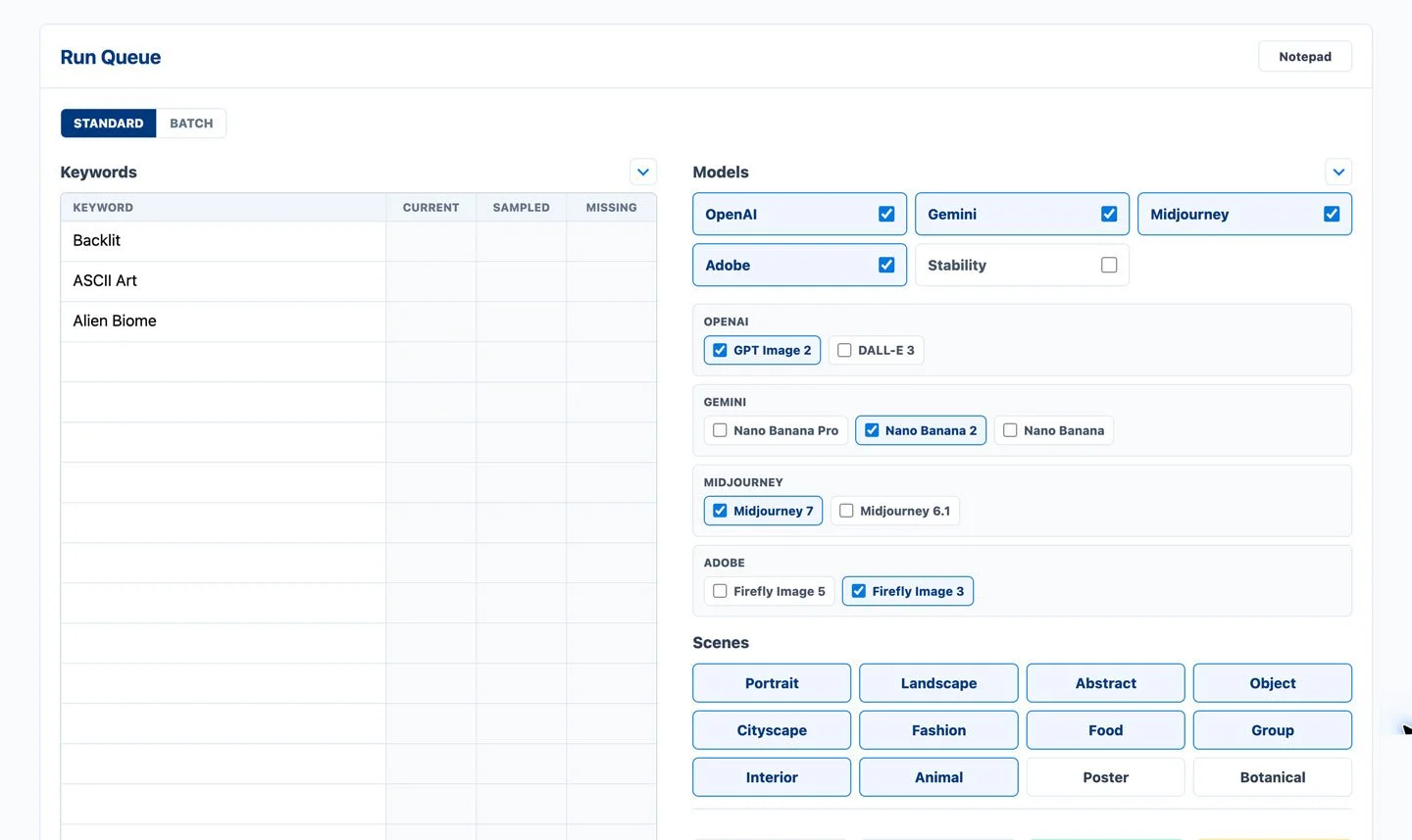
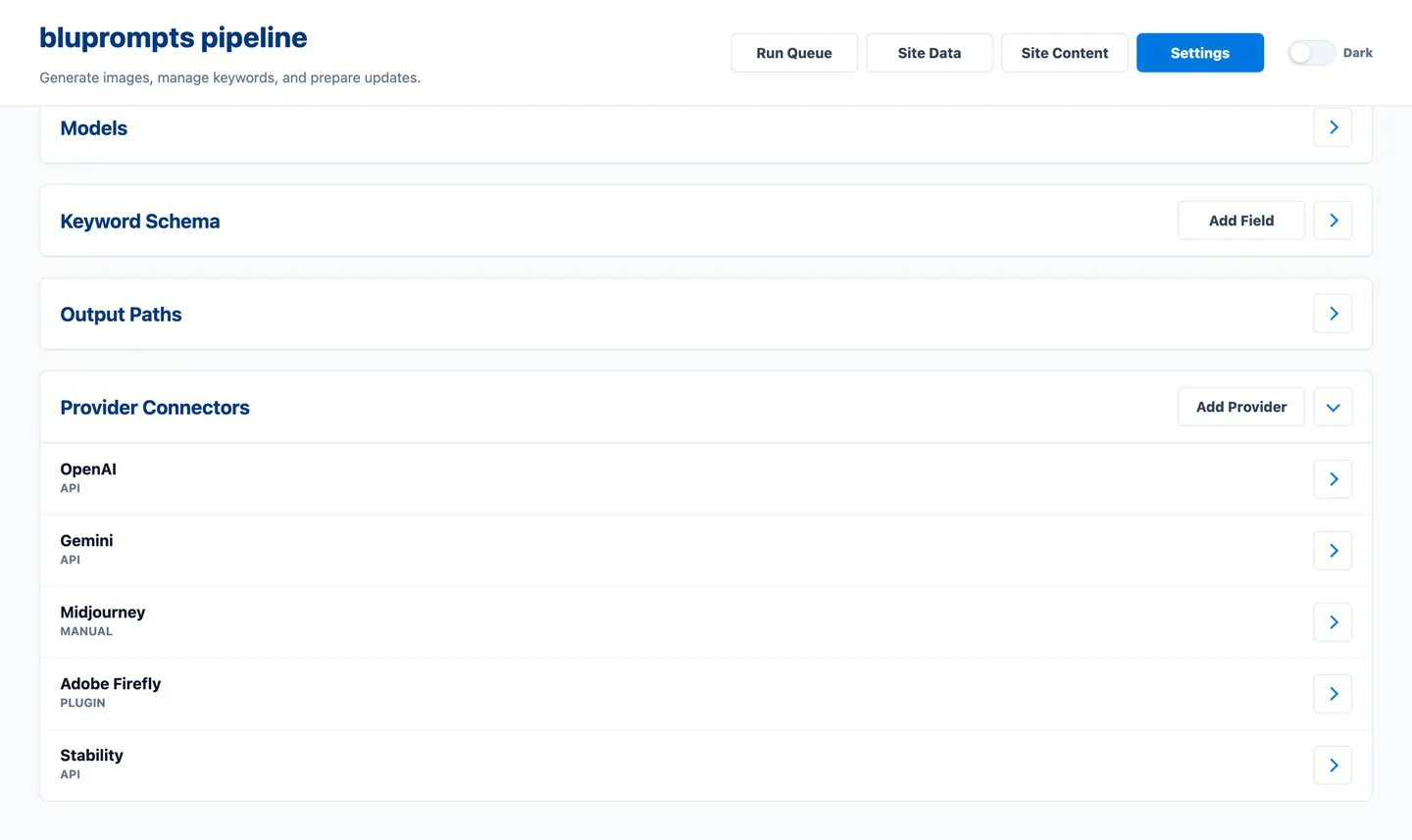
Once I choose a keyword to expand, the tool manages the production workflow. Each image provider works differently, so it supports several generation paths. OpenAI, Gemini, and Stability run through APIs. Midjourney has no public API, so I created a hotkey workflow that steps through a text file of scene prompts with the keyword appended. Each use pastes the next prompt in the file, and I import the completed results afterward. Firefly required a custom-built Photoshop plugin.
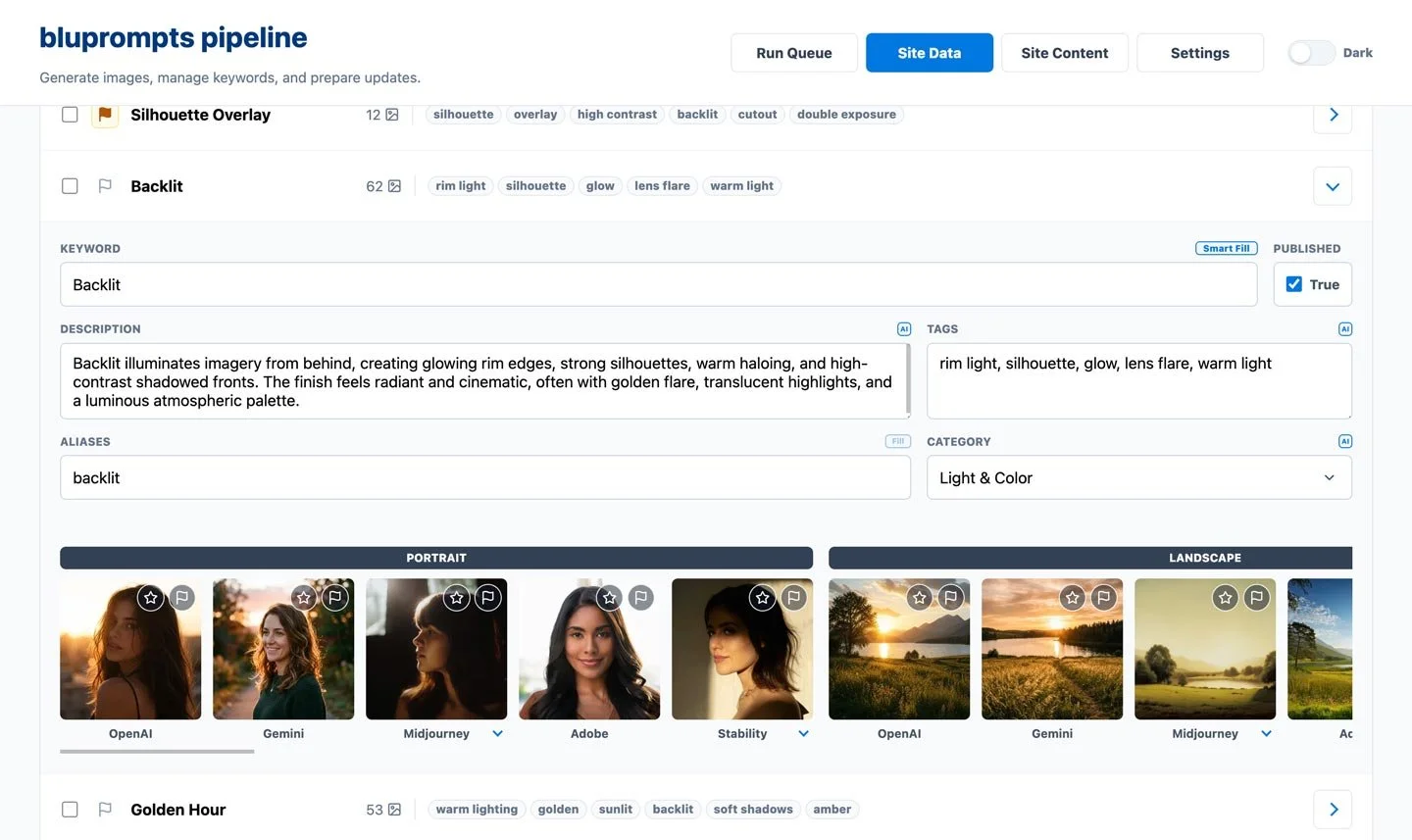
Generated results move through a manual review process before they are added to the dictionary.
Researching the Vocabulary
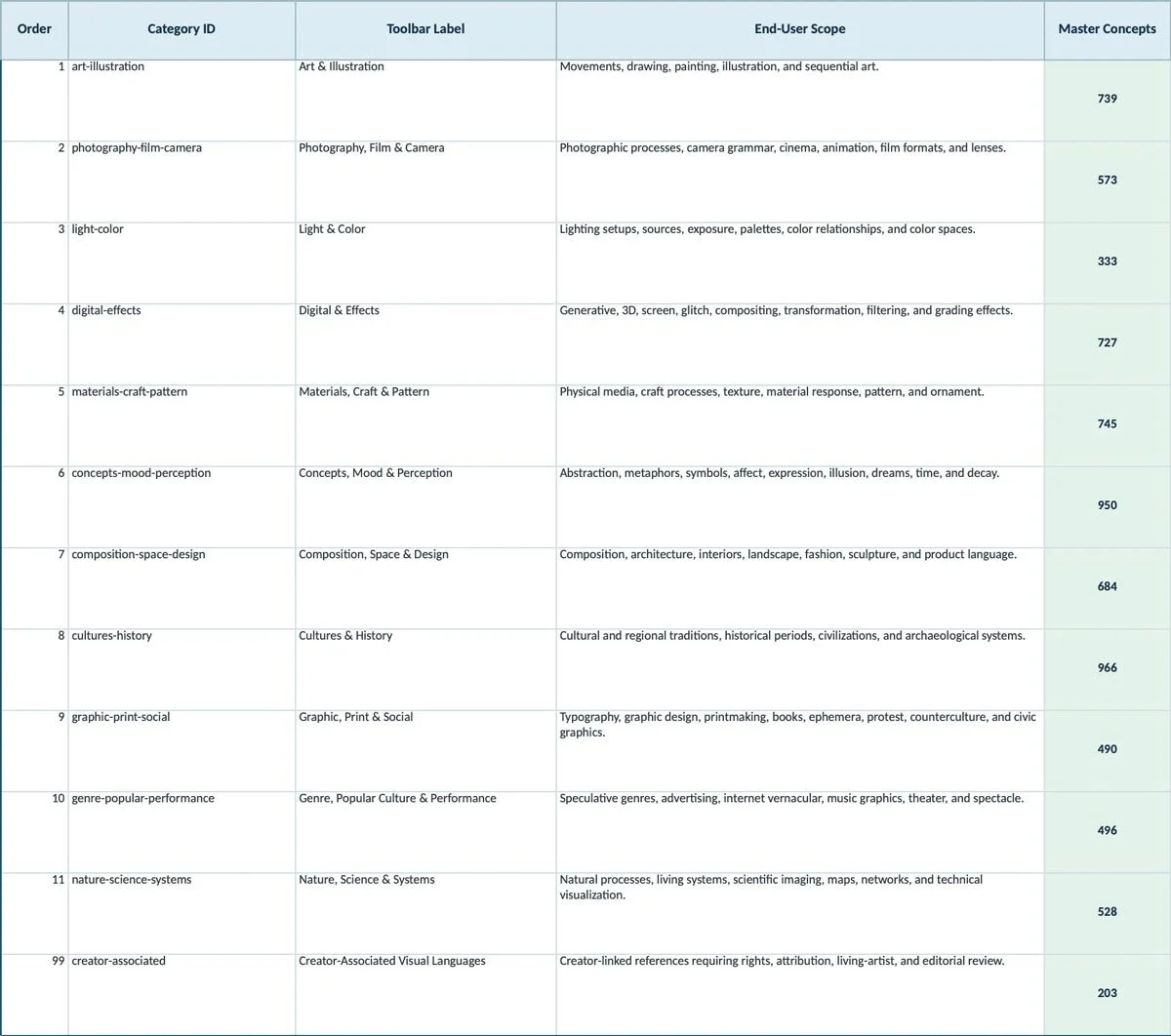
I combined my own manual research with AI-assisted research to collect 7,434 candidate concepts from 49 sources covering art, photography, cinema, design, craft, and other visual traditions.
I keep the research corpus separate from the production backend. When a term looks promising, I add it to the run queue, generate samples, and decide whether it is useful enough to expand into a full visual reference.
Building With AI, Keeping Human Judgment
AI helped me build bluprompts, but it did not make the product decisions.
How AI helped
I designed the product and directed Codex to build it. I defined the features, reviewed each version, tested the work, and kept revising it. I also used AI for research and metadata.
What I owned
I was the only human creator. I chose what to build, how it should work, how the content should be organized, and what was ready to publish.
I publish an image only when the keyword creates a clear and reasonably consistent change from the baseline. I also check composition, subject accuracy, rendering problems, unwanted text, and overall quality. A good-looking image can still be a poor example. If it does not show the keyword clearly, I keep it archived.
Result
In six weeks, I turned a few dozen keyword tables with three scenes and several model versions into a working visual reference. It now includes 568 public keywords, 15,647 image results, 52 categories, 12 scenes, five model families, and a keyword game.
The public site lets people browse, filter, and compare terms across different subjects and image models. The private backend gives me a repeatable way to sample new terms, expand the strongest candidates, review results, and publish updates.
What began as a small experiment is now a working product with room to grow.
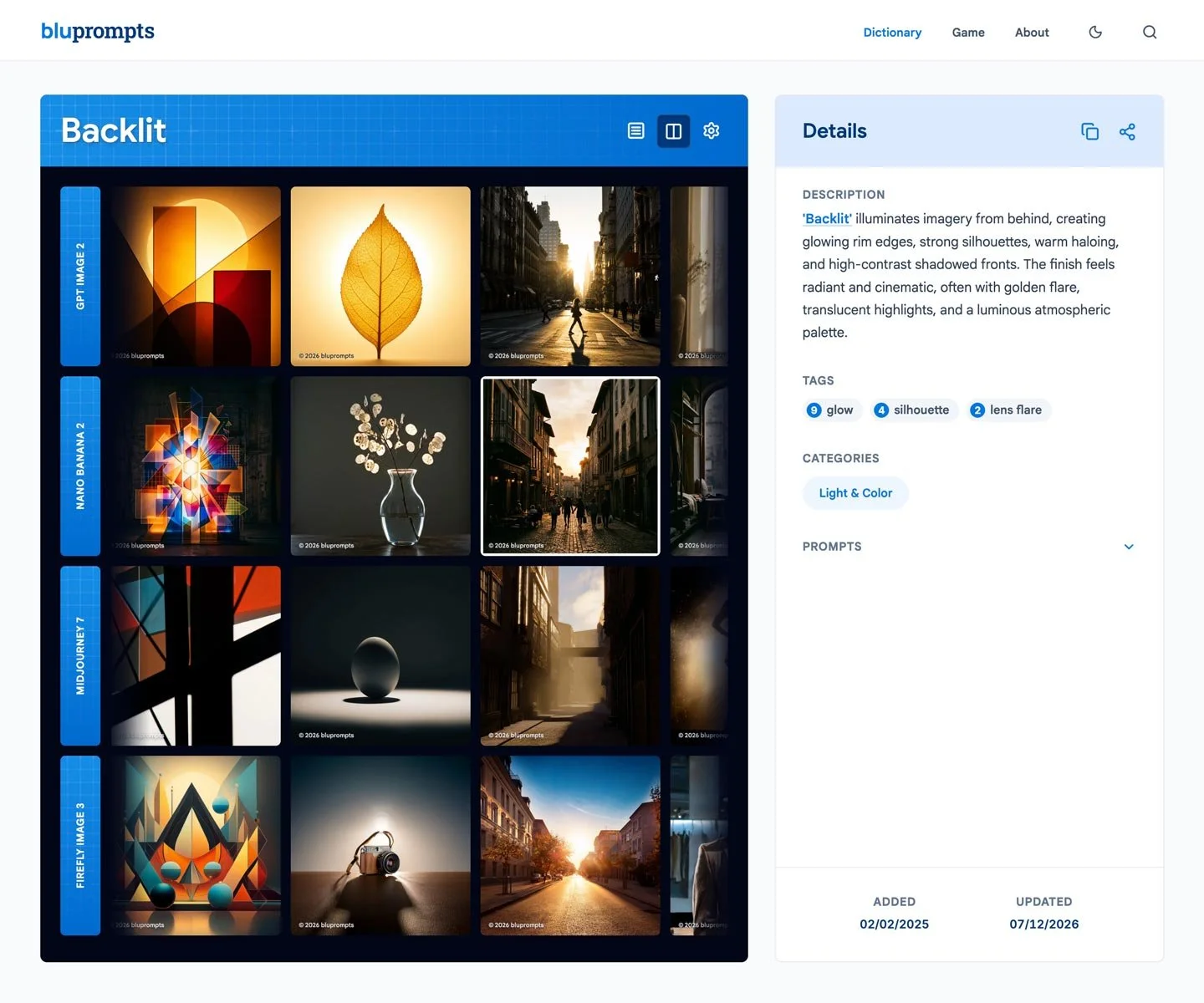
The public keyword page and the private record used to review/publish.
What I Learned
Building bluprompts taught me how to create a working web product entirely through prompting. I did not write any of it by hand, but I directed the development of more than 96,000 lines across the frontend and backend.
I learned how to turn product ideas into clear instructions, test what came back, identify problems, and keep refining the work until it matched what I had in mind.
Extending My Systems Work
At Roku, I turned brand standards into reusable Figma and Braze modules. With bluprompts, I used the same systems thinking to organize visual language, prompts, model workflows, and review.
Both projects take subjective creative decisions and make them easier to understand, reuse, and improve.